
What’s in a Professional Video Workflow to Convert Analog Videotapes?
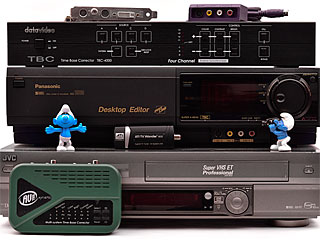 Our forum is frequently used to discuss video, and a common topic is the video workflows needed to transfer old VHS, Hi8, Video8, Betamax, and even DV digital tapes. But most video hobbyists, and sometimes even pros, have never had the term “workflow” enter their vocabulary until they came here.
In fact, I think there’s a misconception about what a workflow actually is, what it’s supposed to do, and what one looks like. So let’s fix that… [Read more]
Is Your Studio or (Home) Office Flood Proof?
 On Friday morning, the plumbing at our video studio burst, flooding the main room with 2+ inches of water before we managed to shut it off.
Like most businesses, we’re not in a flood plain. A flood was the furthest thing from our mind in terms of potential natural disasters we may face. Fire, tornadoes and remnant hurricanes, yes*. But a flood? No way!
It’s been a miserable weekend, and we’re still not done repairing the damage.
The extent of the damage isn’t even fully known yet! There’s at least 2 full days left until we’re back and running.
But I have a question for you …
Are you prepared for flooding at your videography/photography studio, office, or even home office?
I bet not! So please, learn from our experience (and mistakes)… [Read more]
Windows 7 vs. Windows 8: Why Videographers Shouldn’t Upgrade
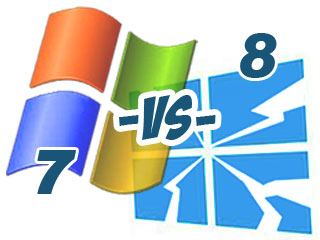 There have been a lot of advertisements for Windows 8 on television and in magazines lately, showing off the new features of the OS. Microsoft really wants you to upgrade, and is lobbying hard for you to do it. While I admit it looks a bit fancy, I needed to know how it compared to the previous versions of Windows. The answer is not so good, I’m afraid.
Windows 8 has left behind key features of its previous versions in favor of a new flamboyant tablet-style interface that looks out of place on a desktop, and performs even worse. They’ve essentially gutted Windows. Everything good Microsoft has done — not just for Windows, but for computing in general — has been thrown away. No more legacy support. No more integration. Forced connections to the Internet.
While techie geeks will love it, businesses users and serious user will not. And that includes videographers. [Read more]

How to Increase Video/Photo Resolution by Dieting?
 High-end digital SLR camera makers like Nikon, Canon and Sony brag about their megapixels and sensor photosites, but at some point it becomes moot. The same applies to high resolution 1080p HDTVs. Of all the laws of diminishing returns that affect the amount of detail a person can see, be it in a digital photograph or 1080p Blu-ray disc, your eyes trump all.
In the past half decade, I’ve dealt with several camera softness issues: (1) Excellent Tamron, Tokina and Sigma lenses from the film era are too flawed for modern high megapixel sensors. (2) There’s increasingly erratic quality control from lens manufacturers. (3) Certain digital cameras seem to drift in accuracy over time; a big issue since I’m mostly a f/2.8 shooter. (4) And finally, my eyes are just not as perfect as they used to be.
There’s nothing more frustrating that seeing a blurry image through the viewfinder, and not being 100% sure if the camera or lens are at fault, or if your own eyes (or even contact lenses, in my case) have degraded. [Read more]
Video Hobby vs. Video Profession, Part 3: The Interview
 As is the case with most professional fields, a hobby can turn into a career, and video is no different. If you’re a TV show collector, the appointed family videographer, or simply interested in editing movies on your home computer — and you like doing it, and want to get paid for doing it — then having a job or career in that field is certainly possible.
In the era of Youtube and Vimeo, where anybody can upload virtually anything, you could find yourself as the next overnight meme. All you need is a camera, some video editing software, and creativity.
On the other hand, there’s a lot to know. Video is literally dozens of photos per second, with audio, and it has a steep learning curve. Those who are patient, willing to learn proper methods, and able to overcome a “get rich quick” attitude, can succeed at it long-term.
Everybody has a story of how they started in their line of work. This is mine.
[Read more]
Video Hobby vs. Video Profession, Part 2: Make Money Converting Tapes to DVDs?
 Understanding the differences between hobby video projects and professional video work is, unfortunately, not the same as acknowledging it. Many novices want to treat video work as an unskilled trade, comparable to flipping burgers or operating a forklift. To these folks, it’s a make-money-fast scheme — and education, knowledge and experience is unnecessary.
For consumers, the ability to distinguish between an amateur- or hobby-based service can mean the difference between high-quality work and merely passable quality work. Or in some cases, the difference between a successful project, and a disaster (lost or damaged videos). In Part 2 of this editorial series, consumers can learn some tips on how to spot a non-professional video company.
For video enthusiasts, it’s important to know your limitations. Part 1 of this editorial series covered the most important differences between video as a hobby, and video as a field of work. Part 2 of the editorial will focus on bad advice that encourages a hobbyist to “make money” in their hobby, and give examples of what often happens when unqualified individuals start their own video editing or conversion service.